
How to embed a Vox Gallery in other sites?
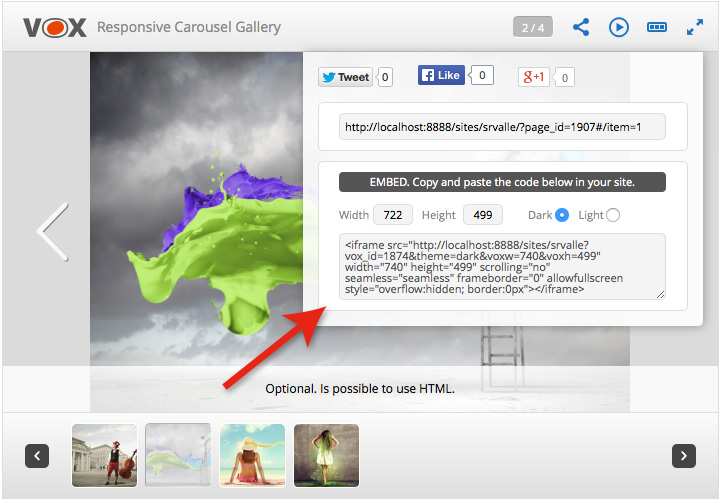
To embed galleries of the your site in other sites, you only need two things: Create a gallery and publish it (Run the gallery shortcode in any page, post, Text widget, or directly in the php code). And add the code below to your theme.
See explanations below.
1) If the your theme has a page called “front-page.php”, put the code at the top of this page (front-page.php).
2) If the your theme does not have a page called “front-page.php”, but has a page called “home.php” put the code at the top of this page (home.php).
3) If the your theme does not have a page called “front-page.php”, and also does not have a page called “home.php”, put the code on the page called “index.php” at the top of this page.
Note: It is important that the code is placed at the top of the php page, before any html is written on the page.
 // VOX EMBED ---------------------------------------------------------//

$vox_id = get_query_var( 'vox_id' );

if ( isset($vox_id) && $vox_id !== '' ) {

$params = 'embed=1&theme='.$_GET['theme'].'&voxw='.$_GET['voxw'].'&voxh='.$_GET['voxh'];

$filename = get_site_option('vox_embed_url').$vox_id.'.php';

if (@fopen($filename, "r")) {

wp_redirect( $filename.'?'.$params );

} else {

echo 'File not found.';

}

exit;

}

// VOX EMBED ---------------------------------------------------------//
